Built to survive cross-examination.
A supervised visitation record earns its keep the day someone attacks it. FamilyBridge builds the whole lifecycle for that moment: notes timestamped at capture, a report you review and finalize, a lock enforced at the database layer, corrections by addendum, and a log of who was sent what, and when.
Free 14-day trial · No credit card required · Cancel anytime
Built for the questions attorneys actually ask
Timestamped at capture
“When did you write these notes?” During the visit. Every note is stamped the moment you take it, sorted into seven guided note types, and saved to your device first — sent when the app is open with signal, with photos attached and GPS route waypoints captured alongside.
You are the author
“Did a machine write this?” A first draft, yes; the record, no. The AI assembles a draft from your notes, an automatic screen flags opinion, assessment, or recommendation language for your review, and nothing becomes the report until you have reviewed and finalized it as the author of record.
Locked at finalization
“How do I know it wasn’t edited after the fact?” Because the app won’t let it be. Finalizing locks the report at the database layer: row-level security forbids updating or un-finalizing it, and the app offers no path to either. Corrections go on the record as labeled, timestamped addenda; the original stays intact.
Corrections by addendum
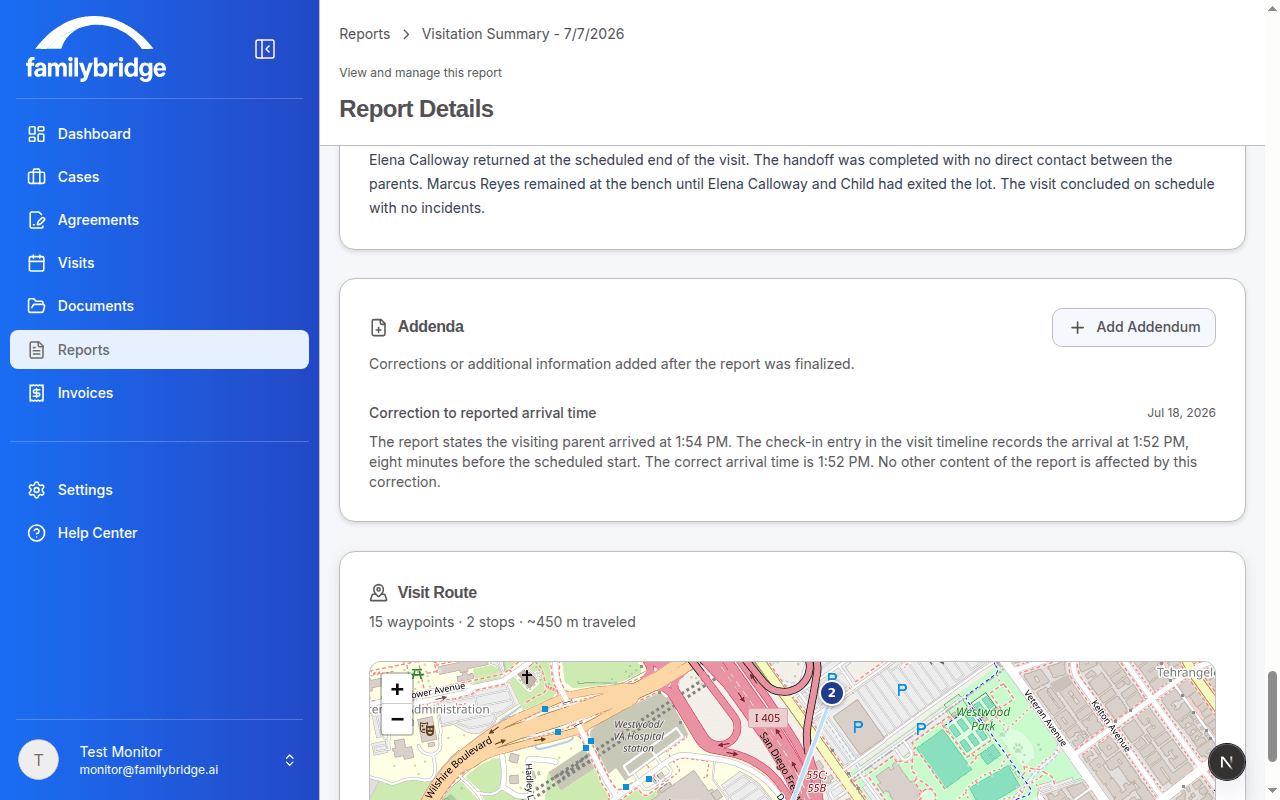
“So what happens when you make a mistake?” You correct it in the open. A finalized report changes only by a clearly labeled, timestamped addendum that leaves the original untouched and travels with the report in the app, in generated PDFs, and in the recipient’s view.
Distribution on the record
“Which version did the mother receive?” The one stamped on the send. Only finalized reports can be sent, and each send records the locked report plus the addenda that existed at that moment, so a send made before an addendum is never mistaken for one made after. Each recipient gets a secure expiring link, optionally with the PDF attached, and the record logs who was sent what, when, and when each link was first accessed.
Drafts declare themselves
“Could a draft end up in front of a judge?” Not silently. Any report that is not finalized renders and prints with a DRAFT watermark, and the watermark fails closed, so a draft can never pass as the record.
The life of a visit record
Capture during the visit
Notes are timestamped the moment you take them, saved to your device first, and sent when the app is open with signal — with photos and GPS waypoints where they help.
Draft and review
The AI assembles a draft from your notes and flags any opinion, assessment, or recommendation language for your review, while every copy still renders with its DRAFT watermark.
Finalize and lock
Finalizing locks the report; from that moment it is permanently immutable, enforced at the database layer, and corrections happen only by labeled, timestamped addendum.
Send and log
Send the finalized report to parents and their attorneys through secure expiring links — the record logs who was sent what version, when, and when each link was first accessed.
Common questions
No. Finalization makes the report permanently immutable, and that is enforced at the database layer: row-level security forbids updating or un-finalizing a locked report, and the app has no path to do either. That permanence is exactly what courts expect from a record.
With an addendum. It is clearly labeled and timestamped, the original report stays untouched, and it travels with the report everywhere it appears: the in-app viewer, generated PDFs, and the recipient’s view. Corrections made in the open are what keep the record defensible; quiet edits are exactly what the lock exists to rule out.
Only finalized reports can be sent, and each send records the exact version that went out — the locked report plus the addenda that existed at that moment, so a send made before an addendum is distinguishable from one made after. The record shows who was sent what, when, and when each link was first accessed. Three limits, stated plainly: bounced emails are not tracked; opening a link is not a read receipt, since mail scanners can trigger it, which is why the record says “link first accessed” rather than “viewed”; and an addendum added after a send appears in the recipient’s link view but not in a PDF that was already emailed.
Each note carries a timestamp from the moment of capture during the visit, and notes save to your device first, so, for visits already saved on your phone, a dead zone doesn’t force a late-night write-up from memory. Notes are working material and stay editable; the locked record is the report you review and finalize. For supporting context, every case event is logged with a timestamp and exports to CSV or PDF.
It works even better together
Record Integrity is one piece of a workflow that runs from intake to court-ready report.
See it with your own cases
Every feature, every plan, free for 14 days. No credit card required.