FamilyBridge
  • Features
  • Pricing
  • FAQ
  • Features
  • Pricing
  • FAQ
LoginSign UpGet Started
FamilyBridge

Observe-and-report visitation software for professional monitors — aligned to California's Standard 5.20, configurable for your jurisdiction.

Product

  • Features
  • Pricing
  • Get Started

Support

  • FAQ
  • Contact Us

Legal

  • Security
  • Terms of Service
  • Privacy Policy
  • Cookie Policy
  • Data Processing Agreement
© 2026 Overman Labs LLC. FamilyBridge is a trademark of Overman Labs LLC. All Rights Reserved.
Supervised Visitation Software

Run Your Supervised Visitation Practice
Without the Chaos

Turn your visit notes into court-ready reports in minutes—and run your whole practice in one place.

Start Your Free 14-Day Trial
Set up your practice in minutes·Built by a professional monitor·No complicated setup

Every feature free for 14 days—no credit card required.

One case, start to finish

  1. Intake
  2. Agreement
  3. Schedule
  4. Visit notes
  5. Report
  6. Invoice
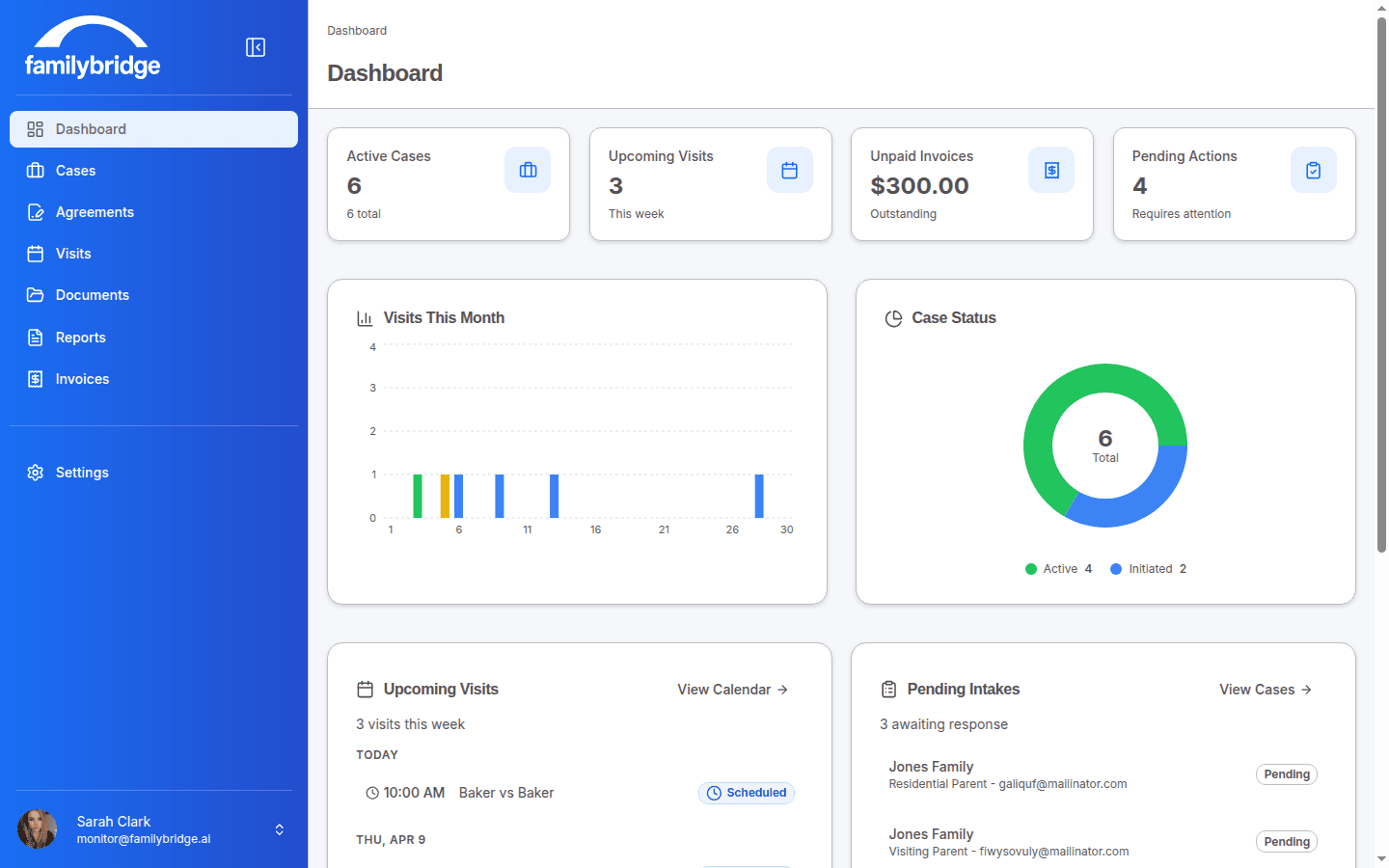
FamilyBridge Monitor Dashboard — Desktop
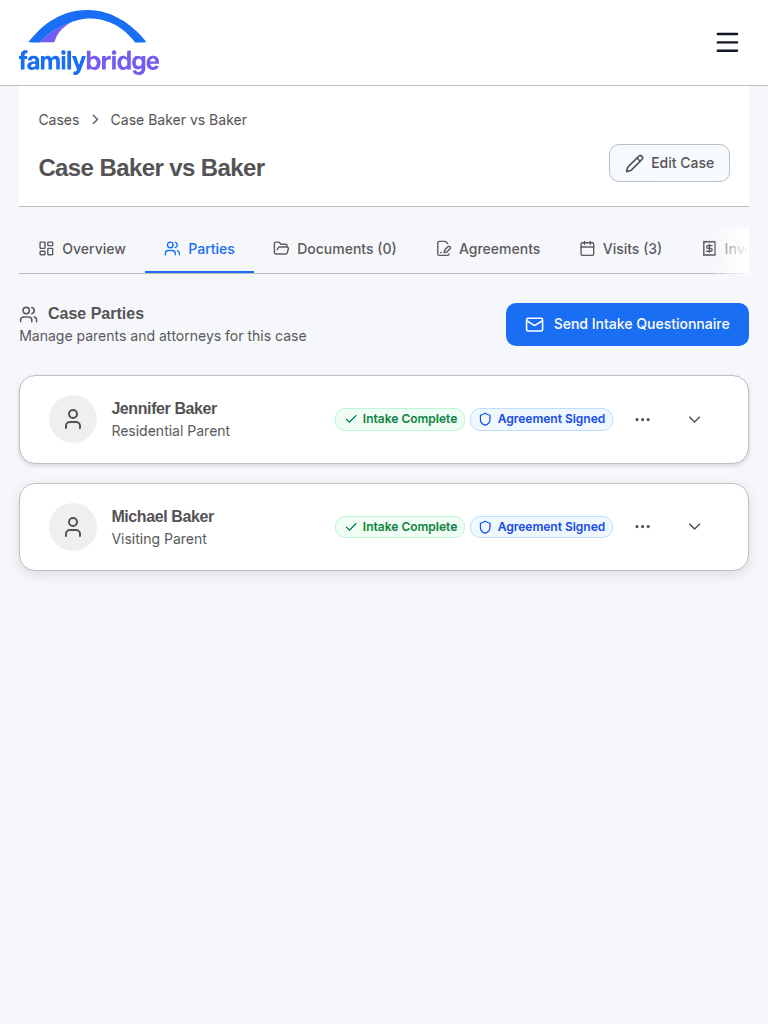
FamilyBridge Case Parties — Tablet
FamilyBridge Visit Notes — Mobile
Aligned to California's Standard 5.20Built by a Working MonitorStripe-Secured Payments·Aligned to California's Standard 5.20Built by a Working MonitorStripe-Secured Payments·Aligned to California's Standard 5.20Built by a Working MonitorStripe-Secured Payments·Aligned to California's Standard 5.20Built by a Working MonitorStripe-Secured Payments·

Results monitors can measure

The difference the workflow makes, drawn from real practices — the numbers below appear only once we’ve measured them.

Up to 80%Up to0%

less time drafting reports

measured across 500 reports

Up to 50 minUp to0 min

faster from visit to finalized report

measured across 500 visits

Up to 75%Up to0%

fewer scheduling back-and-forths

measured across 100 cases

Estimates based on measured results from active practices. Individual results vary by workflow and case complexity.

The difference

Court-ready reports from your structured notes — you stay the author

Capture the visit as it happens with timestamped, categorized notes. The AI drafts a professional report from that structure; you review, edit, and finalize, so you remain the author of record.

  • Party names and locations are redacted before anything reaches the AI.
  • Every draft is screened for opinion language and flagged for your review.
  • Finalized reports lock at the database layer; corrections go on the record as timestamped addenda.
See how AI court reports work
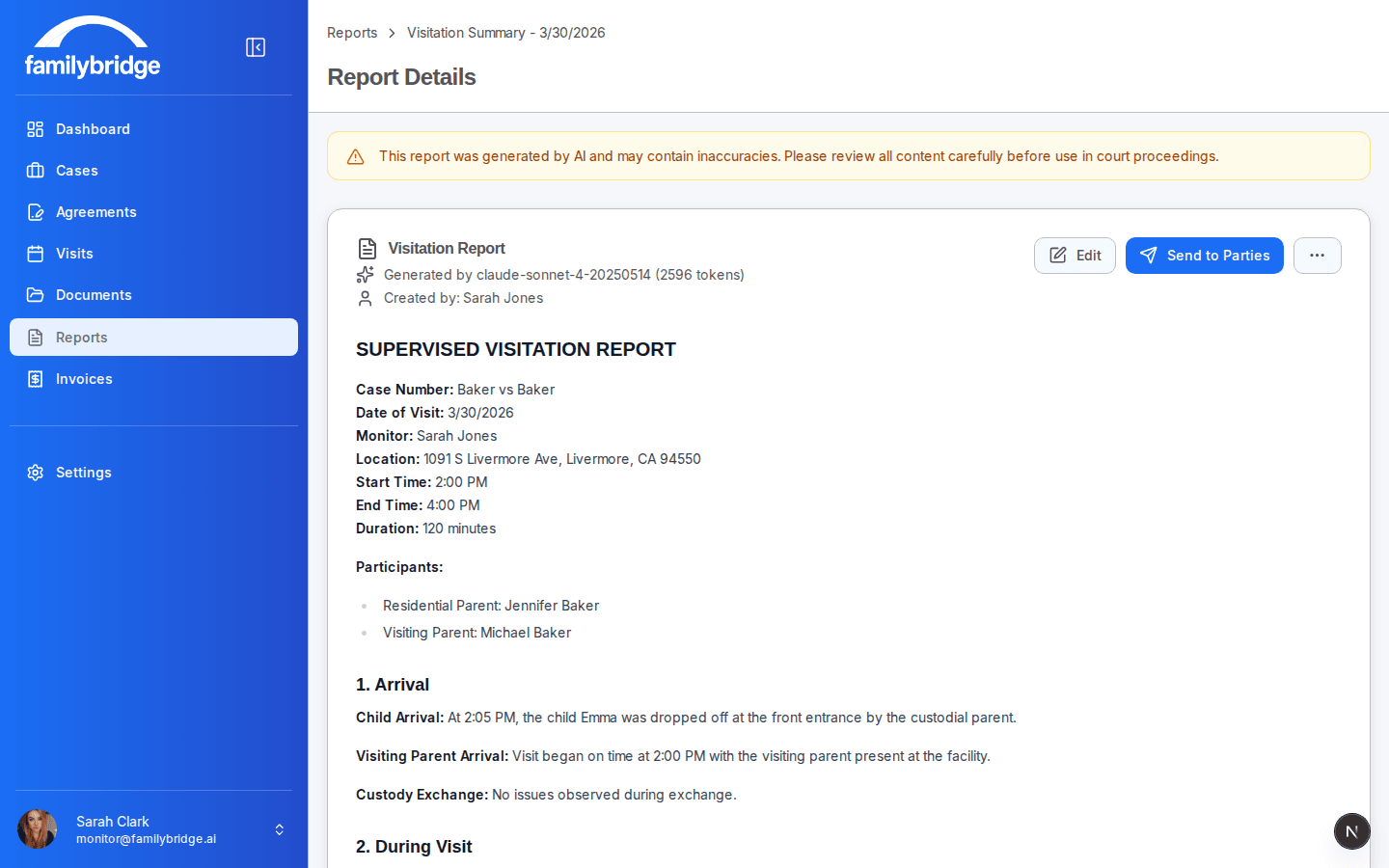
An AI-drafted supervised visitation report open for review, with editable content and a Finalize for Court action.

Explore every feature

Connected features — plus the record integrity that makes them hold up in court. Open any one for the full detail.

Case Management

One case file. Everything in it.

Learn more

Digital Intake

Intake packets, without the paper chase

Learn more

Service Agreements

E-signatures built to hold up in court

Learn more

Invoicing & Payments

Get paid without chasing checks

Learn more

Visits & Live Notes

Built for the park bench, not the desk

Learn more

AI Court Reports

Visit notes in. Court-ready draft out.

Learn more

Record Integrity

Built to survive cross-examination.

Learn more

Built to hold up under scrutiny

The parts that matter when a report is challenged — with an honest account of the limits.

Built to the observe-and-report standard

Reports document what was seen and heard — aligned to California's Standard 5.20, among the strictest observe-and-report standards in the country, and configurable for your jurisdiction. The observe-and-report layer has no off switch.

PII redacted before the AI, fail-closed

Party names and locations are replaced with placeholders before anything reaches the AI — and if that redaction can't be applied, generation refuses to run rather than send unredacted text.

Records that survive cross-examination

Finalized reports lock at the database layer, corrections are timestamped addenda, and signature evidence is append-only against every role — including our own.

Read the full security & record integrity page
Daniel Overman, founder of FamilyBridge and active supervised visitation monitor

Built by a Monitor Who Uses It Every Day

Running a supervised visitation practice shouldn't feel like duct-taping your workday together.

I've spent years working as a supervised visitation monitor—and like most people in this field, I was juggling everything across different tools, notes, and systems that never quite fit the job.

Every visit meant more paperwork. More duplication. More time spent managing logistics instead of focusing on families.

So I built something better.

FamilyBridge is designed around the actual day-to-day work of a monitor—so everything you need is in one place, and nothing feels like an afterthought.

“I built this because I was tired of duct-taping my practice together.”

— Daniel Overman, Founder — active professional supervised visitation monitor, Alameda County court-approved provider list

Everything you need to run your practice

One plan. Every feature. No per-seat fees, no feature gates. Try it all free for 14 days.

Professional Plan

$99/month
Free 14-day trial·No credit card required·Cancel anytime

Online payments are processed through Stripe Connect with a transparent 2.5% platform fee. Standard Stripe processing fees also apply.

Manage unlimited clients and cases
Generate detailed court reports in minutes
Keep all visit documentation in one place
Track visits, notes, and agreements effortlessly
Send invoices and accept payments online
Digital intake and e-signatures included
Real-time categorized note-taking
Automated case readiness checklist

Replaces multiple tools for scheduling, reporting, and billing.

Every feature, free for 14 days. Subscribe when you're ready.

Stop Duct-Taping Your Practice Together

You didn't become a monitor to fight with spreadsheets. FamilyBridge gives you one professional platform for your entire workflow — so you can spend more time with families and less time on admin.

Full access free for 14 days. No credit card. Cancel anytime.